How to Target Competitors' Customers With Apollo.io
Target competitors' customers with Apollo.io: build a list of companies using a rival tool, then run a competitive takeout campaign by email and LinkedIn.
Disclosure: this post contains affiliate links. If you sign up for a product through one, we may earn a commission at no extra cost to you.
The warmest cold list you can build is a list of companies already paying for a competitor. They have budget, they’ve bought the category, and they already know what the tool should do. The best way to target competitors’ customers is to find that installed base, then reach it on email and LinkedIn at the same time.
Most teams still run this the 2021 way. Export a spreadsheet from a technographic tool, mail-merge it, and hope. The data has moved on. Apollo.io now holds technographics, contacts, sequences, and the CRM in one place, and LinkedIn can run off the same list.
Here’s the modern version of a competitive takeout campaign, step by step.
Related: If you want to go past “who uses the competitor” to “who is shopping right now,” read The Intent Ladder: Apollo.io intent signals for outbound. This post covers the installed-base list. That one covers timing.
What Is a Competitive Takeout Campaign?
A competitive takeout campaign (also called a competitive attack or competitive displacement campaign) is outbound aimed only at companies running a competitor’s product. You position yours as the better option for the problem they already pay to solve.
It works best when you have a real edge:
- A lower price than a legacy vendor
- A feature the incumbent hasn’t matched
- A tighter fit for a niche the generalist serves badly
To keep it concrete, picture Stagewell, a webinar platform going after companies running ON24. Every example below uses Stagewell.
How Do You Find a List of Companies Using a Competitor’s Tool?
Start in Apollo.io. In company search, open the Technologies filter and add the competitor. Layer your normal ICP filters on top - industry, employee range, location. That’s your installed base, already sitting next to the contacts you’ll need.
Stagewell’s search: ON24 in Technologies, 200 to 5,000 employees, software and financial services, United States and Canada.
Fill the gaps with a dedicated technographic tool. Apollo.io’s coverage is strong for common tools and thinner for niche ones. Two worth knowing:
- BuiltWith - the classic. It reads a site’s installed scripts and exports the domains running a given technology.
- TheirStack - adds a first-detected date, so you can split companies that just installed the competitor from companies that have run it for years. Those two groups need different messages.
Match by domain, not company name. When you bring an outside list into Apollo.io, match on the website domain. Names are messy (“ON24 Inc” vs “ON24”), and name matching creates duplicates and misses. Domains are unique.
Spot-check before you send. Technographic data is detected, not confirmed. A script left on a site after a cancellation still shows up. Check 20 domains by hand before you load anything.
How Do You Build the Contact List in Apollo.io?
A company list isn’t a send list. You need the right people at each account.
- Save the companies to an Apollo.io account list. Name it after the competitor and the segment, like “ON24 users - mid-market.”
- Apply your personas. Pull the people who own the tool day to day and the people who sign the renewal. For Stagewell, that’s marketing ops, demand gen, and event marketing leads, plus the VP of Marketing.
- Exclude current customers and open deals. Here’s how to exclude current clients from Apollo.io sequences.
- Save it as a contact list. That list feeds email and LinkedIn, so both channels stay in step.
What Should a Competitive Takeout Email Say?
Name the tool, but don’t claim to know their account. Technographic data can be stale. “If ON24 is still running your webinars” is true either way. “I see you use ON24” is wrong for anyone who already left.
Offer proof, not a meeting. The ask that gets warm replies is a low-commitment offer: a comparison, examples, a short overview. Meetings come after they ask for the material.
Three steps minimum. Most warm replies land on step 2, not the opener.
Subject: ON24 at renewal
Hi {{first_name}},
Teams running ON24 usually raise the same two things at renewal: the contract grew faster than the webinar calendar, and every branded event still needs a ticket to someone technical.
We put together a side-by-side of what switching looks like - cost, setup time, and what carries over. Want me to send it?
Step 2 references the first note in one line and adds named proof from a real customer who switched. Step 3 is a short breakup note.
How Do You Run the Same Campaign on LinkedIn?
Run a LinkedIn campaign off the same Apollo.io list, so every contact hears from you on both channels with the same message.
The connection request is only for the accept. No pitch, no ask, and don’t open with who you are.
Skip the company name variable. LinkedIn profiles often list several companies, and the variable grabs the wrong one more often than you’d think.
Wait a day after the accept, then two follow-ups and stop.
| Step | Stagewell copy |
|---|---|
| Connection request | ”I spend most of my week with teams running webinar programs. Would be great to connect.” |
| Follow-up 1 | ”Curious - is your webinar platform up for review this year, or locked in for a while?” |
| Follow-up 2 | ”We put together a side-by-side for teams weighing a switch from ON24. Happy to send it. If not, no worries - I’ll leave it there.” |
Sync LinkedIn back to Apollo.io. When someone accepts or replies on LinkedIn, that should land in Apollo.io and stop the email sequence. Otherwise they reply on LinkedIn and get a follow-up email the next morning.
We run this on HeyReach as part of our Apollo.io + LinkedIn managed outreach. Campaigns are fed from your Apollo.io lists every week, and accepts and replies are written back to Apollo.io.
Why Do You Need Comparison Pages?
Comparison pages give your outreach somewhere to send people once they say yes. They also catch buyers searching “ON24 alternative” on their own.
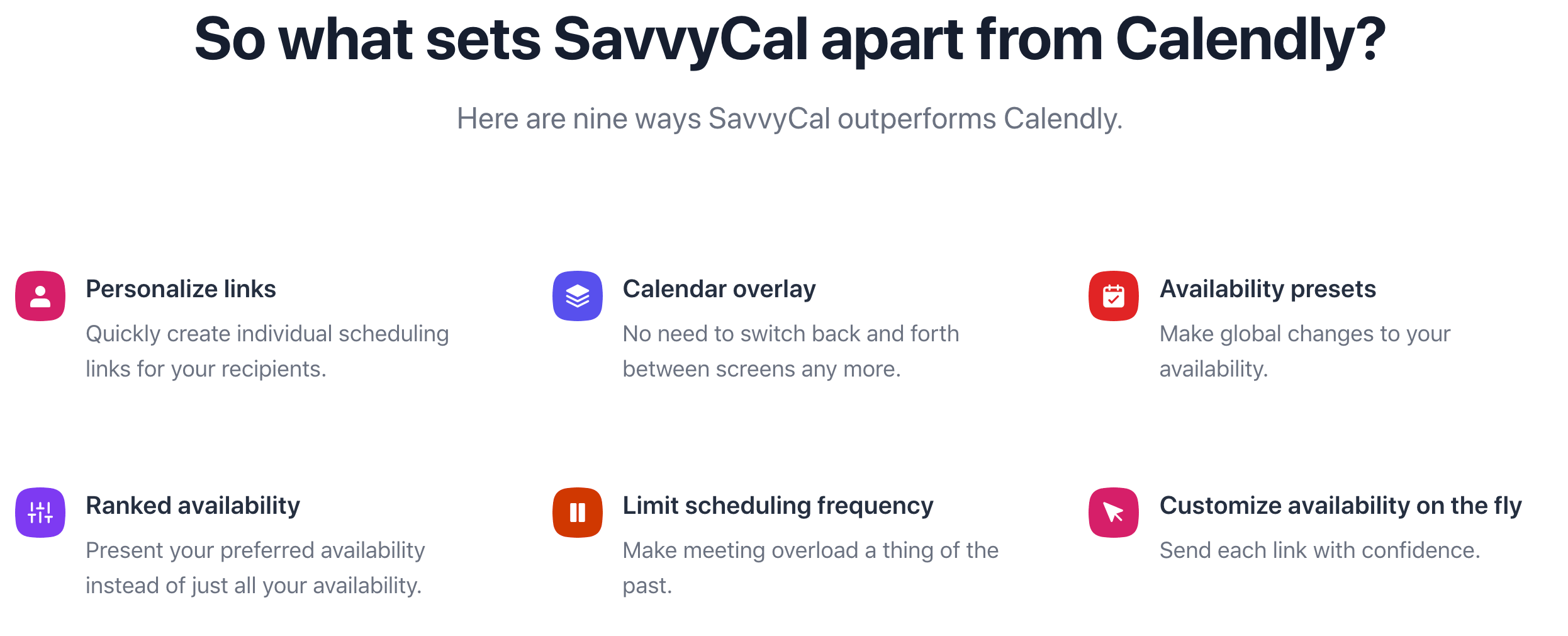
Good examples:
- SavvyCal built a full comparison grid against Calendly.
- PandaDoc runs an “alternative to” hub covering several competitors.
Keep them honest and specific. Buyers in a competitive evaluation check every claim, and one exaggeration costs you the deal.
When a prospect asks for the comparison, send the page link, not a PDF. A page pulls them into the rest of your site.
How Do You Take It Further With Intent Data?
An installed-base list tells you who runs a competitor. It doesn’t tell you who is shopping right now.
Layer Apollo.io intent signals on top and you reach accounts by buying stage: researching the category, just installed something, established on a tool for years, or back on your site twice. Each stage gets its own email and LinkedIn track.
We wrote up exactly how to build that: The Intent Ladder: Apollo.io intent signals for outbound.
How to Set Up a Competitive Takeout Campaign in Apollo.io
- Pick one competitor and one segment: One installed base per campaign, so the message stays specific.
- Build the company list: The Apollo.io Technologies filter plus your ICP filters, with BuiltWith or TheirStack for anything Apollo.io misses. Match by domain.
- Spot-check 20 domains: Confirm the tool is really there before you send.
- Apply personas and exclusions: The tool owner and the budget owner, with current customers removed.
- Write a 3-step email sequence: Name the tool, don’t claim their account, and offer proof.
- Launch the LinkedIn campaign off the same list: A no-pitch connection request, a one-day wait, then two follow-ups.
- Build or refresh the comparison page: It’s where every “yes, send it” goes.
- Track replies by competitor: Reply and meeting rates per installed base show you which competitor’s customers are actually open to switching.
Want this built for you? We build competitive takeout campaigns inside our clients’ Apollo.io accounts - the lists, personas, sequences, LinkedIn campaigns, and sync - and run them weekly.