Apollo.io Intent Signals for Outbound: The Intent Ladder
Use Apollo.io intent signals to run email and LinkedIn outbound by buying stage - evaluating, just installed, established, or visiting your site twice.
Disclosure: this post contains affiliate links. If you sign up for a product through one, we may earn a commission at no extra cost to you.
Most teams treat Apollo.io intent signals as one list. Every company showing a signal gets the same email, the same LinkedIn message, and the same ask.
That breaks fast. A company researching a tool and a company that bought it last month are in completely different places. Send them the same outreach and one of them is reading something that makes no sense.
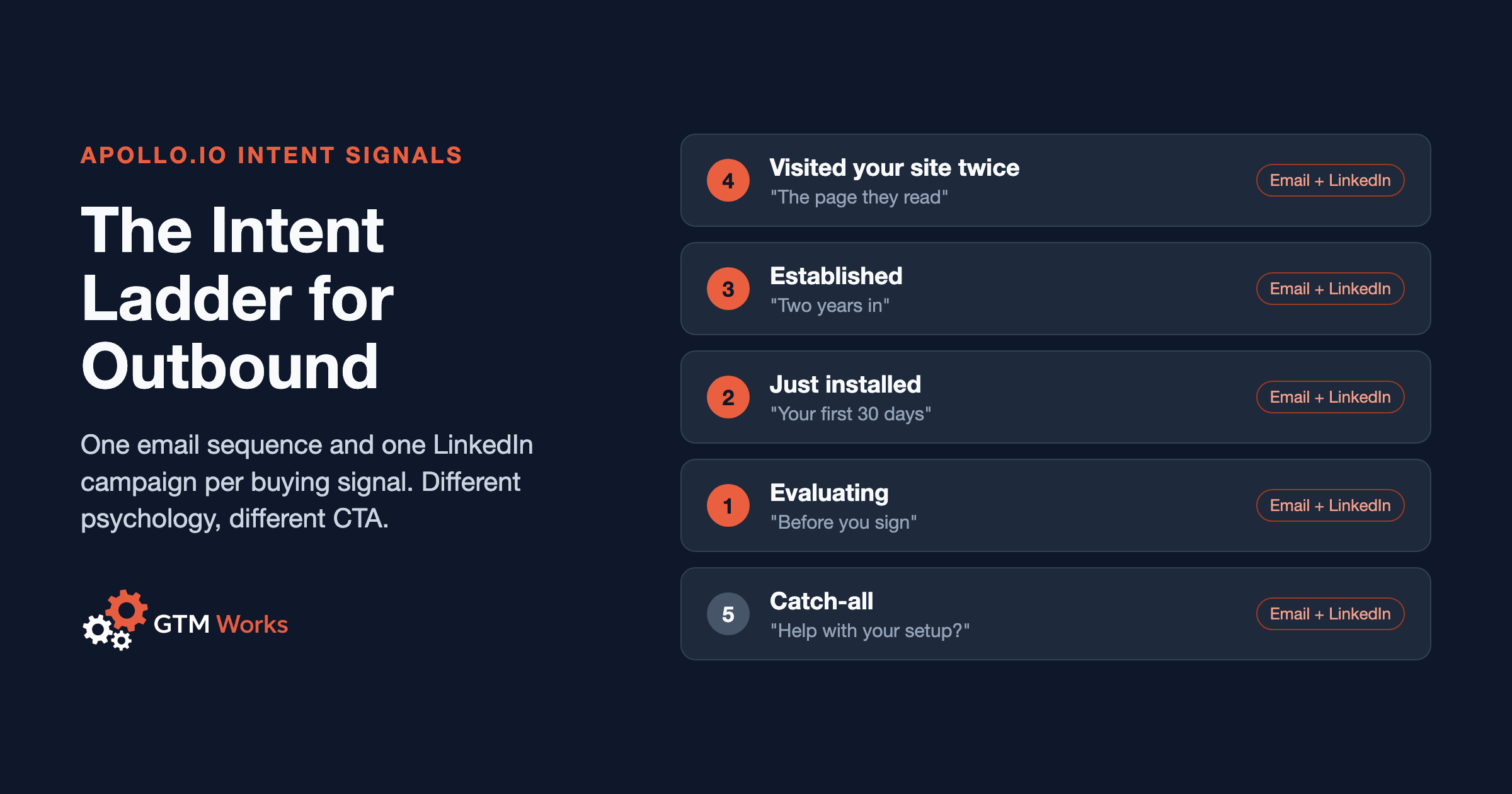
So we built a ladder instead. Four signals, plus one catch-all, each with its own email sequence and its own LinkedIn campaign.
Related: If you’re new to intent data, start with our guide on how to use intent data to book demos with Apollo.io. This article covers something different - how to split intent signals into separate outbound tracks so each one gets the right message.
What Is an Intent Ladder in Apollo.io?
An intent ladder is a set of outbound tracks where each rung is a different fact about the account. Each fact means the buyer is thinking about something different, so each rung gets its own psychology, its own call to action, and its own email and LinkedIn copy.
To make it concrete, picture a HubSpot Solutions Partner agency. We’ll call it Harborline RevOps. It implements HubSpot, cleans up messy portals, and runs RevOps for companies on HubSpot. Every company that touches HubSpot is a potential client, but not for the same reason.
Here’s Harborline’s ladder:
| Rung | The signal | What they’re thinking | The CTA |
|---|---|---|---|
| 1. Evaluating | Researching HubSpot, not installed | ”Is this the right tool?” | Questions to ask before you sign |
| 2. Just installed | HubSpot first detected in the last 90 days | ”How do we set this up right?“ | 30-day setup checklist |
| 3. Established | On HubSpot for 2+ years | ”Why is this such a mess?” | What we usually find in an audit |
| 4. Warm to you | 2+ visits to your website | ”Could these people help?” | The thing they were reading about |
| 5. Catch-all | Fits the ICP, no signal | Nothing specific yet | General proof offer |
The rest of this post walks through each rung by email, then how the same ladder runs on LinkedIn, then the rules that keep everything from colliding.
Rung 1: How Do You Email Companies Researching a Tool They Don’t Own Yet?
The signal: Apollo.io Buying Intent shows the company surging on HubSpot or CRM topics, and the technographic filter shows HubSpot is not installed.
Both halves matter. Intent alone pulls in plenty of current HubSpot customers who are researching an upgrade or a problem. The “not installed” filter is what makes this rung about evaluators.
The psychology: They’re comparing options and worried about picking wrong. Most have heard a story about a CRM rollout that went sideways. They’re not ready to hire an implementation partner, but they are open to help making a good decision.
The CTA: Help with the decision, not a pitch for the project.
Subject: Before you sign with HubSpot
Hi {{first_name}},
Most CRM rollouts that go badly were decided badly - wrong tier, wrong seats, no plan for the data coming over.
We put together the questions we’d ask HubSpot before signing. Want me to send them over?
Never say you know they’re researching. Intent data is account-level and anonymous. “I noticed you’re looking at CRMs” is creepy at best and wrong at worst. The email meets evaluators where they are, and if they’ve already decided, nothing in it is wrong.
Rung 2: How Do You Reach Companies That Just Installed a Tool?
The signal: HubSpot first detected at the company within the last 60 to 90 days.
This is the rung most teams can’t build, because most technographic data only tells you a tool is installed, not when it showed up. We use TheirStack for this. It tracks the technology a company has installed and gives you a first-detected date, so you can filter for recent installs and push those companies into an Apollo.io list.
The psychology: They just bought and they have momentum. They also have a lot to do in the next 30 days - data migration, pipelines, properties, getting the team to actually use it. This is when they’re most open to help, and it’s also when mistakes get baked in.
The CTA: Something they can use this month.
Subject: Your first 30 days on HubSpot
Hi {{first_name}},
Congrats on getting started with HubSpot.
The first month decides how clean the portal is two years from now. Properties, pipeline stages, and lifecycle rules are much easier to get right now than to fix later.
We have a 30-day setup checklist we use with new portals. Want a copy?
Rung 3: How Do You Use Technographic Targeting for Established Users?
The signal: HubSpot installed for two years or more.
The psychology: These companies aren’t thinking about HubSpot as a purchase anymore. They live in it. And after a few years, the portal has drifted - hundreds of unused properties, workflows nobody remembers building, duplicate contacts, reports nobody trusts. Usually nobody owns cleaning it up.
The CTA: Name the pattern without diagnosing their portal. You haven’t seen it, so don’t pretend you have.
Subject: Two years into HubSpot
Hi {{first_name}},
Something we see in almost every HubSpot portal past the two-year mark: a few hundred properties, half of them unused, and workflows still firing for a process the team stopped running.
We wrote up what we usually find when we audit a portal like that. Want to see it?
The word “usually” is doing real work there. It’s a pattern, not a claim about their account.
Rung 4: What Should You Send When a Company Visits Your Site Twice?
The signal: Two or more visits to your website, picked up by Apollo.io website visitor ID.
One visit is noise. Two visits means someone came back.
The psychology: This rung is about you, not HubSpot. They’ve already seen who you are. A cold-sounding email to someone who just read your service page feels oddly out of touch.
The CTA: Tie it to what they were looking at, and make a more direct offer than the cold rungs. If they read the cleanup page, offer the audit write-up. If they read the implementation page, offer the setup checklist.
Don’t open with “I saw you visited our site.” Lead with the topic they were reading about. You can route visitors into the right sequence automatically with Apollo.io workflows. This rung is the core of our first-party signal-based outreach service.
Rung 5: Why Keep a General Sequence?
Not every good-fit company shows a signal. Harborline still has its original sequence - a general “help with your HubSpot setup” offer - running for ICP accounts that don’t hit any rung.
It’s the floor of the ladder. When a company shows a stronger signal later, it moves up.
How Do You Run Intent Signals on LinkedIn Too?
Every rung gets a LinkedIn campaign alongside the email sequence. Same signal, same psychology, same offer - but LinkedIn has its own rules.
The Connection Request Is for the Accept
- No pitch and no ask in the connection request. Its only job is getting accepted.
- Lead with the fact behind the rung, not with who you are.
- Skip the company name variable. LinkedIn profiles often list several companies, and the variable grabs the wrong one more often than you’d think. “Your team” can never be wrong.
One Question, Then the Offer
- Wait a day after they accept. A message the second they connect reads like a bot.
- The first follow-up asks one genuine question they can answer from their chair.
- The second follow-up makes the offer and leaves it there. Two follow-ups, then stop.
Here’s what that looks like for Harborline:
| Rung | Connection request | First follow-up |
|---|---|---|
| 1. Evaluating | ”I work with teams choosing and rolling out HubSpot. Would be great to connect." | "Curious - is a CRM change something your team is weighing this year?“ |
| 2. Just installed | ”Looks like your team is getting started on HubSpot - congrats. Would be great to connect." | "How’s the rollout going so far? Is the data migration done, or still in progress?“ |
| 3. Established | ”I spend most of my week inside HubSpot portals. Would be great to connect." | "Curious - does anyone own keeping your HubSpot portal clean, or does it just grow?“ |
| 4. Warm to you | Open request, no pitch | Lead with the topic they were reading about |
Keep Email and LinkedIn in Sync
- A person sits on one rung across both channels. Never rung 1 by email and rung 2 on LinkedIn.
- When someone accepts or replies on LinkedIn, that should land in Apollo.io and stop the email sequence. Otherwise they reply to you on LinkedIn and get a follow-up email the next morning.
- Feed the LinkedIn campaigns from the same Apollo.io lists as the sequences, so both channels move together.
That sync is the part most teams don’t have. We run it as part of our Apollo.io + LinkedIn managed outreach: campaigns fed from your Apollo.io lists every week, with accepts and replies written back to Apollo.io.
How Do You Keep Intent Sequences From Colliding?
This is where most intent programs break. Five tracks pulling from overlapping lists will hit the same people twice unless you set rules.
One Rung Per Person
- A contact is only ever on one rung. If they’re already active somewhere, they get skipped.
Company Spacing
- Add at most one new contact per company per weekly email batch.
- Wait at least 7 days before adding a second person from the same company.
- Cap it at 3 people per company so small teams don’t get the whole org chart emailed.
- Several people at one company getting the same email the same day looks like spam to Google and Microsoft. Spacing it out reads as normal one-to-one email. More on that in our email deliverability guide.
The Fresher Signal Wins
- Before each intent load, check the evaluating list against the latest just-installed pull. Any company that shows up in both comes out of the evaluating rung first.
- “Thinking about buying HubSpot?” and “congrats on getting started” landing in the same inbox a week apart gives the whole game away.
Re-Check Every Load
- Signals go stale. A company that was evaluating last month may have bought, picked a competitor, or gone quiet. Pull fresh every time.
How to Set Up an Intent Ladder in Apollo.io
- Define the rungs: Write down each signal, what the buyer is thinking at that point, and the one thing you’ll offer them.
- Build a saved search per rung: Buying Intent plus a technographic exclusion for evaluators, install-date data for new installs, technographics for established users, and visitor data for site visits.
- Create one list per rung: Keep them separate so you can see what each rung is producing.
- Write one email sequence per rung: At least three steps each. The second step usually gets the warm replies, so put your best proof there.
- Build one LinkedIn campaign per rung: Fed from the same list, with a no-pitch connection request and two follow-ups.
- Run the dedup check before every load: One rung per person, company spacing, and the fresher signal wins. Exclude current clients too - here’s how to exclude current clients from Apollo.io sequences.
- Load weekly: Small batches, every week, with the same rules every time.
If you want more automation ideas to layer on top, see our Apollo.io workflows and automation examples.
Want this done for you? We build intent ladders inside our clients’ Apollo.io accounts - the saved searches, lists, email sequences, LinkedIn campaigns, and dedup rules - and run the weekly loads.