
Apollo.io HeyReach Integration, Synced Both Ways
There is no native Apollo.io HeyReach integration, so we built one and run it for you. Your Apollo.io lists become HeyReach campaigns, refilled every week. Accepts, replies and the reply text write back to Apollo.io, and an Apollo.io stage change stops the lead on LinkedIn.
Use our managed workspace, powered by HeyReach.
We provide the HeyReach seat, connect it to your Apollo.io and run every campaign. You never log into HeyReach. $249/mo for your first seat, $99/mo each additional.
See what's included → Already on HeyReachKeep your workspace. We plug into it.
Same price, same sync. We connect your HeyReach to Apollo.io and run your campaigns from your Apollo.io lists.
See how it works →On another LinkedIn tool? See the Dripify, Expandi and Waalaxy integrations.
HeyReach and Apollo.io Don't Talk to Each Other
Apollo.io no longer automates LinkedIn. Its LinkedIn sequence steps are manual tasks. HeyReach automates LinkedIn well, but it has no native Apollo.io integration.
So most teams export a CSV from Apollo.io every week, upload it to HeyReach, and watch two inboxes. Prospects who answered on LinkedIn keep getting cold emails. And nothing that happens on LinkedIn shows up in your Apollo.io pipeline.
You can build the connection yourself. Then you own the webhooks, the refill job and the upkeep. Or we run it, with nothing to stitch together or maintain on your side.
Without the integration
- Weekly CSV exports from Apollo.io, uploads into HeyReach
- Campaigns stall when the lead list runs out
- LinkedIn repliers still get Apollo.io email sequences
- Reply text stuck in HeyReach, out of your CRM
- People who changed jobs get messaged at their old company
We Set Up the Integration, Then We Run It
This is a done-for-you service, not a connector you configure. We connect HeyReach and Apollo.io through their APIs, build campaigns from what you already have in Apollo.io, and keep the loop running every week.
No starting from scratch. Your Apollo.io lists, sequences and saved targeting become the source for every HeyReach campaign. The more you already have in Apollo.io, the faster you launch.
Want to see how it's built? Read the Apollo.io LinkedIn automation tutorial for the full architecture, then decide whether to build or hand it to us.
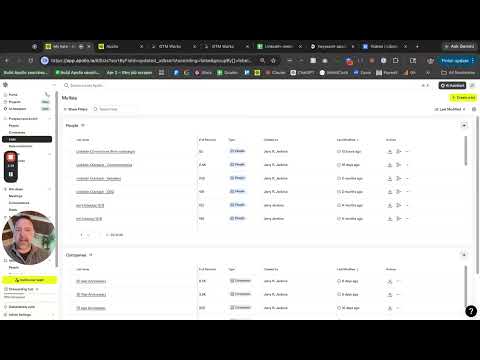 Tutorial Apollo.io LinkedIn Automation With HeyReach How HeyReach data syncs back to Apollo.io, step by step.
 What's Included
- A LinkedIn workspace powered by HeyReach, provided and managed by us, or your own workspace connected
- HeyReach campaigns built from your existing Apollo.io lists and targeting
- Connection request and two follow-ups, written by us and approved by you
- Weekly refills from your Apollo.io lists into the matching campaign
- Every refill checked against LinkedIn and Apollo.io's latest work history
- Accepted connections added to a list in Apollo.io
- Replies written back with the text, stage set to Replied, email sequences finished
- An Apollo.io stage change stops that lead in HeyReach
- Safe daily limits on connection requests and messages
- Up to 3 new campaign builds a month, plus ongoing copy and list changes
How the Apollo.io HeyReach Integration Works
Apollo.io stays your system of record. HeyReach reads from it every week and reports back to it every time someone accepts or replies.
Job Changes Caught Before Anyone Is Messaged
Lists go stale. People leave, and their Apollo.io record does not always show it yet. So every weekly refill is checked against LinkedIn and Apollo.io's latest work history before a single connection request goes out.
When both sources agree someone has left, they never get the message. A recent LinkedIn profile showing an employer Apollo.io has never recorded is held back too.
This check runs on HeyReach only, on our managed workspace or your own. Our Dripify, Expandi and Waalaxy integrations don't have it. Want the same idea pointed at past customers who move? See job change tracking and the rest of our signal-based outbound work.
What Happens to Someone Who Moved
- Held back before any connection request goes out
- Taken out of active Apollo.io email sequences
- Added to a "LinkedIn: moved" list in your Apollo.io
- Ready to re-enrich and follow to the new company
From Sign-Up to Running Campaigns
Sign Up and Connect
Pick our managed workspace or your own HeyReach and connect Apollo.io. It takes about 5 minutes. We map your Apollo.io lists to HeyReach campaigns.
Build and Approve
We build each campaign from the Apollo.io list behind it and write the connection request and two follow-ups. Nothing sends until you approve it.
Run and Report Back
Refills land every week, checked for job changes. Accepts and replies write back to Apollo.io. We watch the sync and the numbers, and adjust copy and lists as results come in.
Managed HeyReach or Your Own, Same Price
HeyReach is LinkedIn automation built to run many LinkedIn senders from one place. We run it for you two ways. Either way, you pay for the service: the Apollo.io sync, weekly refills, campaign builds and management. See pricing.
Managed workspace, powered by HeyReach
- HeyReach seat included, nothing extra to buy
- You never log into HeyReach. We run it.
- Your LinkedIn senders connected and set up by us
- Full sync, weekly refills and the job-change check
Your own HeyReach workspace
- Keep your workspace, your senders and your history
- Connected to Apollo.io with an API key from your workspace
- New campaigns built by us, inside your workspace
- Full sync, weekly refills and the job-change check
Want the full picture of how we run LinkedIn? See Automated Apollo.io LinkedIn Outreach.
A Short List
- Apollo.io on the Pro plan or higher, for API access
- One LinkedIn profile per seat, for each person who sends
- LinkedIn Premium Career or higher, recommended, so every connection request carries your note
- Already on HeyReach? An API key from your workspace
A standard LinkedIn account works too, but it can add a note to only 3 requests a month. No Apollo.io yet? Sign up through our affiliate link for 10% off setup, migration or hourly consulting with us.
One Price for the Service
$249/mo first seat, $99/mo each additional
You pay for the service, not a seat: the HeyReach workspace, the Apollo.io sync, weekly refills, the job-change check, campaign builds and management.
- Up to 5 seats
- Up to 3 new campaign builds a month
- Same price on your own HeyReach workspace
- No onboarding fee, no contracts, cancel anytime
Apollo.io is billed separately by Apollo.io. More than 5 seats or 3 campaign builds a month? Contact us for enterprise pricing. See all GTM Works pricing.
Apollo.io HeyReach Integration FAQ
Not natively. There is no built-in HeyReach Apollo.io connection. We connect the two through the HeyReach API and the Apollo.io API, then run the integration for you as a service. There is nothing to stitch together or maintain on your side.
They do different jobs. Apollo.io is your data, email sequences and CRM. HeyReach is LinkedIn automation: connection requests and messages across one or many LinkedIn senders. Neither replaces the other. With the integration, Apollo.io stays the system of record and HeyReach becomes a second channel that reads from it and reports back to it.
Not anymore. Apollo.io no longer sends LinkedIn connection requests or messages for you. LinkedIn steps in an Apollo.io sequence are now manual tasks. HeyReach does the sending, and we keep it fed from Apollo.io and write the results back.
Yes, with the text. When someone replies on LinkedIn, the reply text is saved on their Apollo.io contact, they are added to a LinkedIn replies list, their stage is set to Replied, and any active Apollo.io email sequences are finished. Accepted connection requests land in their own Apollo.io list.
Yes. When a contact's stage changes in Apollo.io, for example to Replied or Do Not Contact, we stop that lead in the running HeyReach campaign. The campaign keeps running for everyone else.
They are held back before anything is sent. Every weekly refill is checked against LinkedIn and Apollo.io's latest work history. People both sources agree have left skip the campaign, come out of active Apollo.io email sequences, and land on a list in your Apollo.io for re-enrichment.
Any LinkedIn automation is against LinkedIn's terms of service, so no tool can promise zero risk, HeyReach included. We enforce safe daily limits on connection requests and messages for every sender, and every campaign is a connection request plus two follow-ups, then it stops.
Not a native one, and that is the gap this service fills. HeyReach runs the LinkedIn campaigns. Apollo.io stays your CRM. Accepts, replies and reply text land on the Apollo.io contact, and stage changes in Apollo.io reach HeyReach, so your pipeline lives in one place.
$249 a month for your first LinkedIn seat and $99 a month for each additional seat, up to 5 seats. That price is the service: the HeyReach workspace, the Apollo.io sync, weekly refills, the job-change check, up to 3 new campaign builds a month and ongoing management. No onboarding fee, no contracts. Already on HeyReach? Same price, and we plug into your workspace. Apollo.io is billed separately by Apollo.io.
No. On our managed workspace, we run HeyReach for you. You approve the copy and see the results in Apollo.io. If you bring your own HeyReach workspace, you keep your own access to it.
No. HeyReach has a native Clay integration that pushes leads from a Clay table into a campaign, and Clay counts every lead added as an Action. That covers one direction. Writing accepts and replies back to Apollo.io takes webhooks and HTTP calls, which need Clay's Growth plan (October 2026). We connect HeyReach and Apollo.io directly, both ways, with no table in between.
Related Reading
- Apollo.io + LinkedIn automation with HeyReach: the full build tutorial
- Automated Apollo.io LinkedIn Outreach, the full managed service
- On Dripify? The Dripify Apollo.io integration
- On Expandi? The Apollo.io Expandi integration
- On Waalaxy? The Apollo.io Waalaxy integration
- Signal-based outbound on Apollo.io and LinkedIn
GTM Works is a HeyReach affiliate and an Apollo.io affiliate. Some links on this page are affiliate links, and we may earn a commission if you sign up through them.
Ready to Connect HeyReach and Apollo.io?
$249/mo for your first seat, $99/mo each additional. Start setup in about 5 minutes, on our managed workspace or your own HeyReach.
Get StartedStill exploring?