Apollo.io Workflows for Contacts Interested Stage and Company Opportunity and Deals
How to use Apollo.io Workflows to prevent contact stages from reverting, manage booked demos, update company opportunity stages, and auto-create deals.
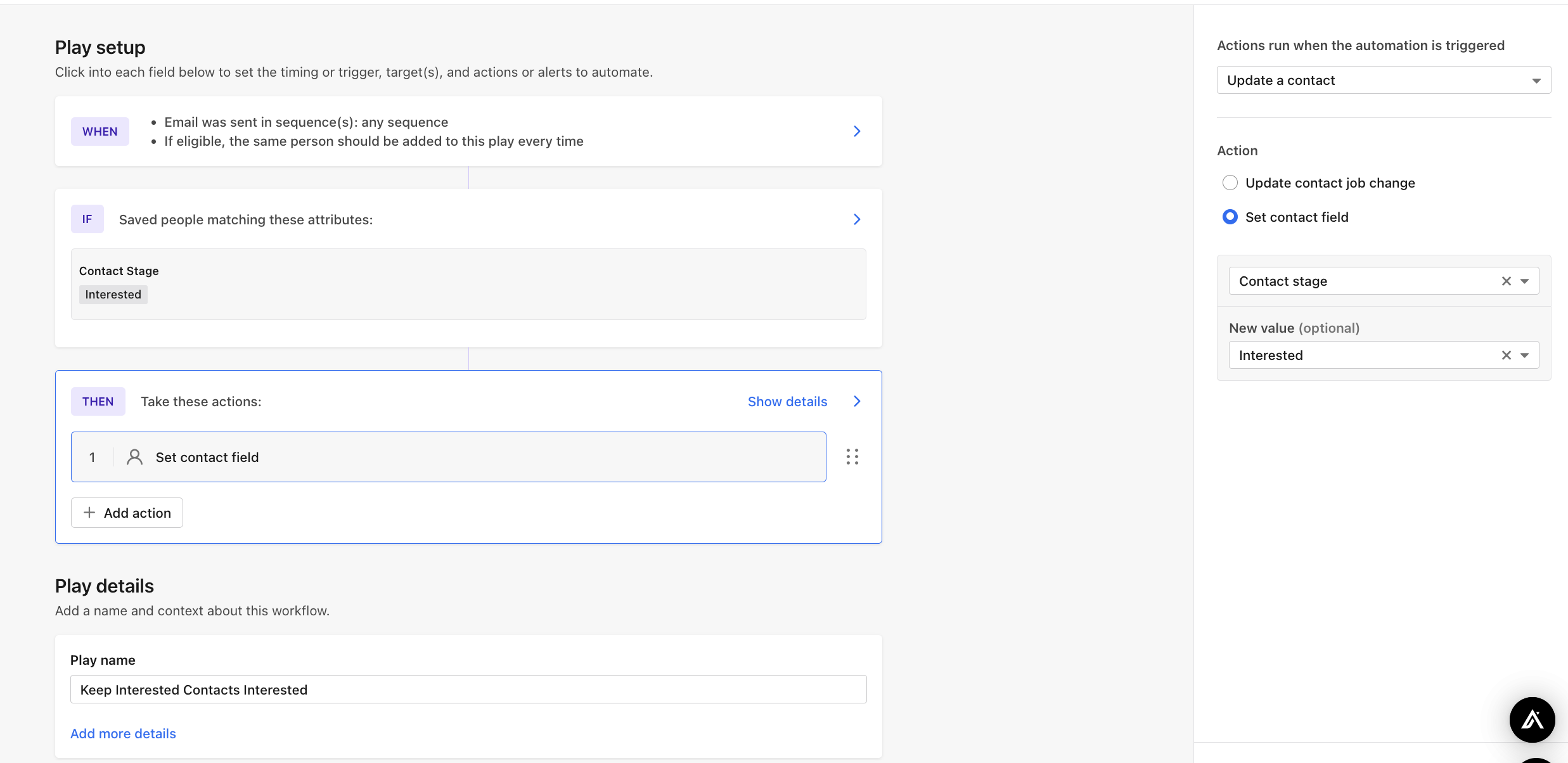
Keep Apollo.io Contacts in Interested Stage
Apollo.io’s default behavior is to change a contact’s stage to “approaching” when an email is sent to the prospect. This behavior makes sense and works well for a cold prospect.
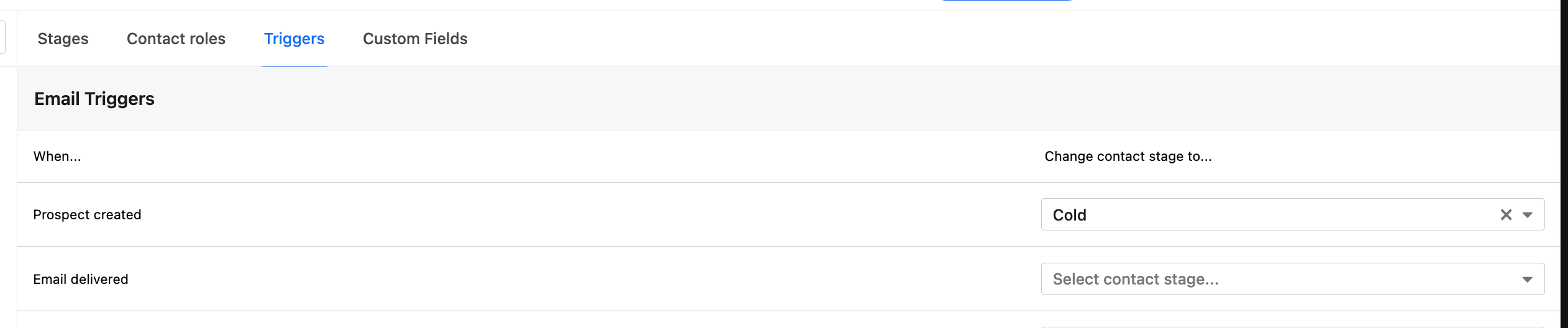
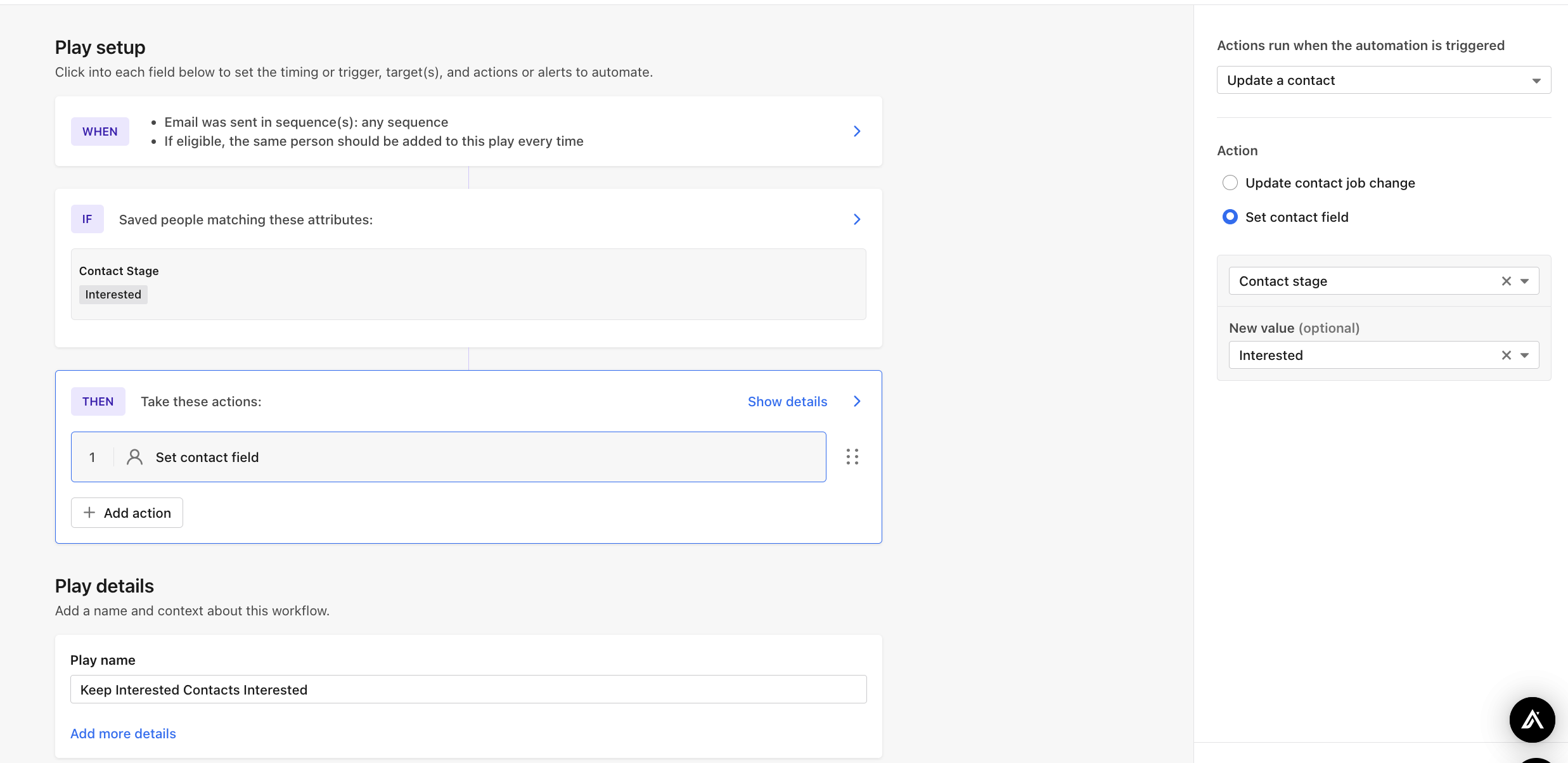
However, for a prospect that has already replied and shown interest (and maybe been moved to “Interested” or another further funnel stage), it doesn’t make a lot of sense for the contact’s stage to move backwards. If a prospect shows interest and then we send them a proposal, by default this will revert the prospect to “Approaching”. For our clients this is not what we want and can alter reporting, workflows, etc.
Here is a quick Workflow you can use to force the stage to stay as “Interested” unless manually changed.
You can also set rules for account and contact triggers in settings - remove the “Email delivered = Approaching” trigger.
Apollo.io Booked Demo Workflow
For our workflow, we also added a custom contact stage “Booked Demo”. We don’t want that stage to revert to “Approaching” either when we confirm demo appointment times, follow up, etc. We’ll use when the contact stage is changed to “Booked Demo” as a trigger again to run a few actions.
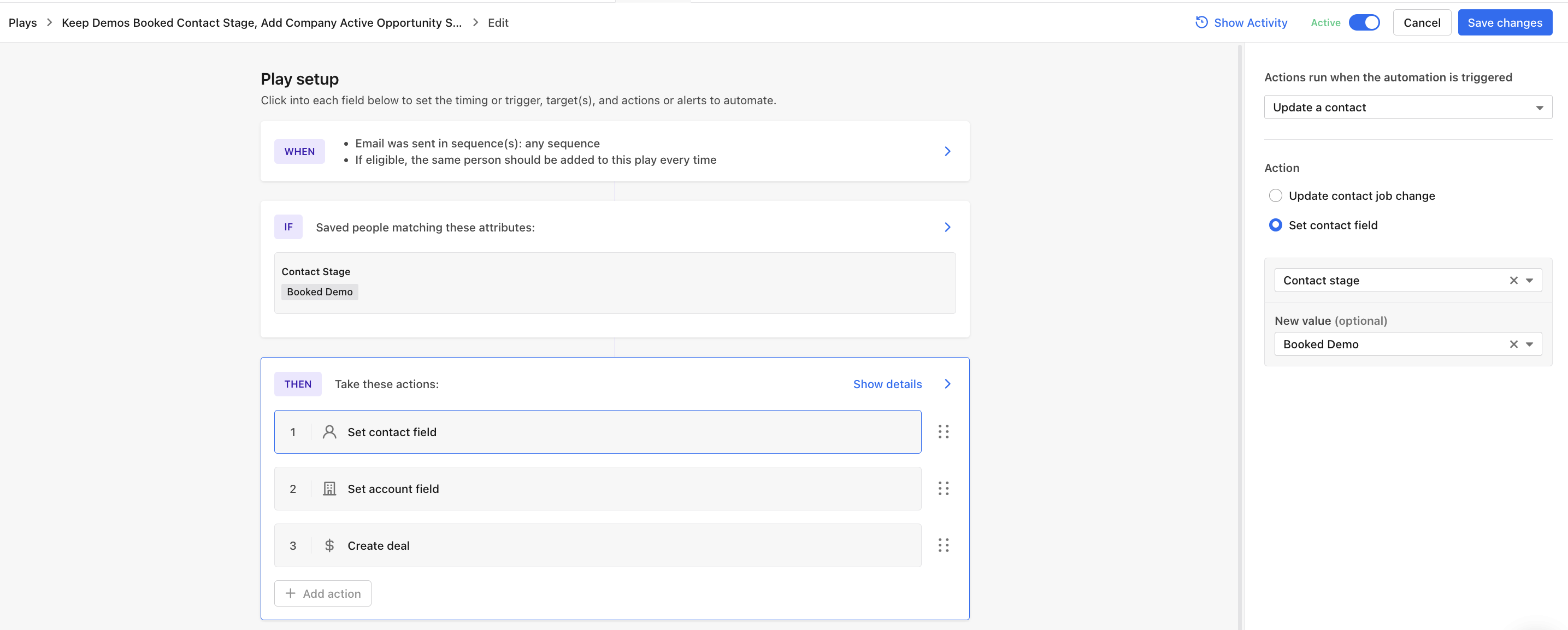
Apollo.io Active Opportunity Stage Workflow
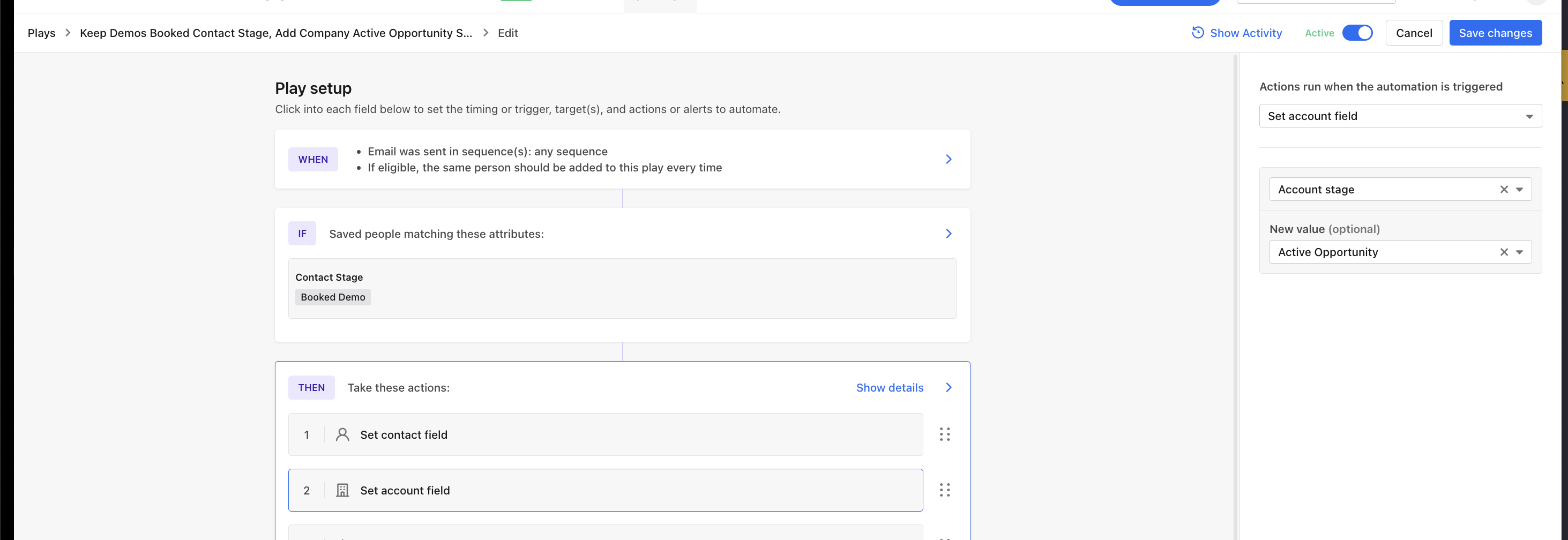
We also wanted to update the Company record to automatically set the Company stage to “Active Opportunity” when relevant contact stage changes occur.
Apollo.io Deals Workflow
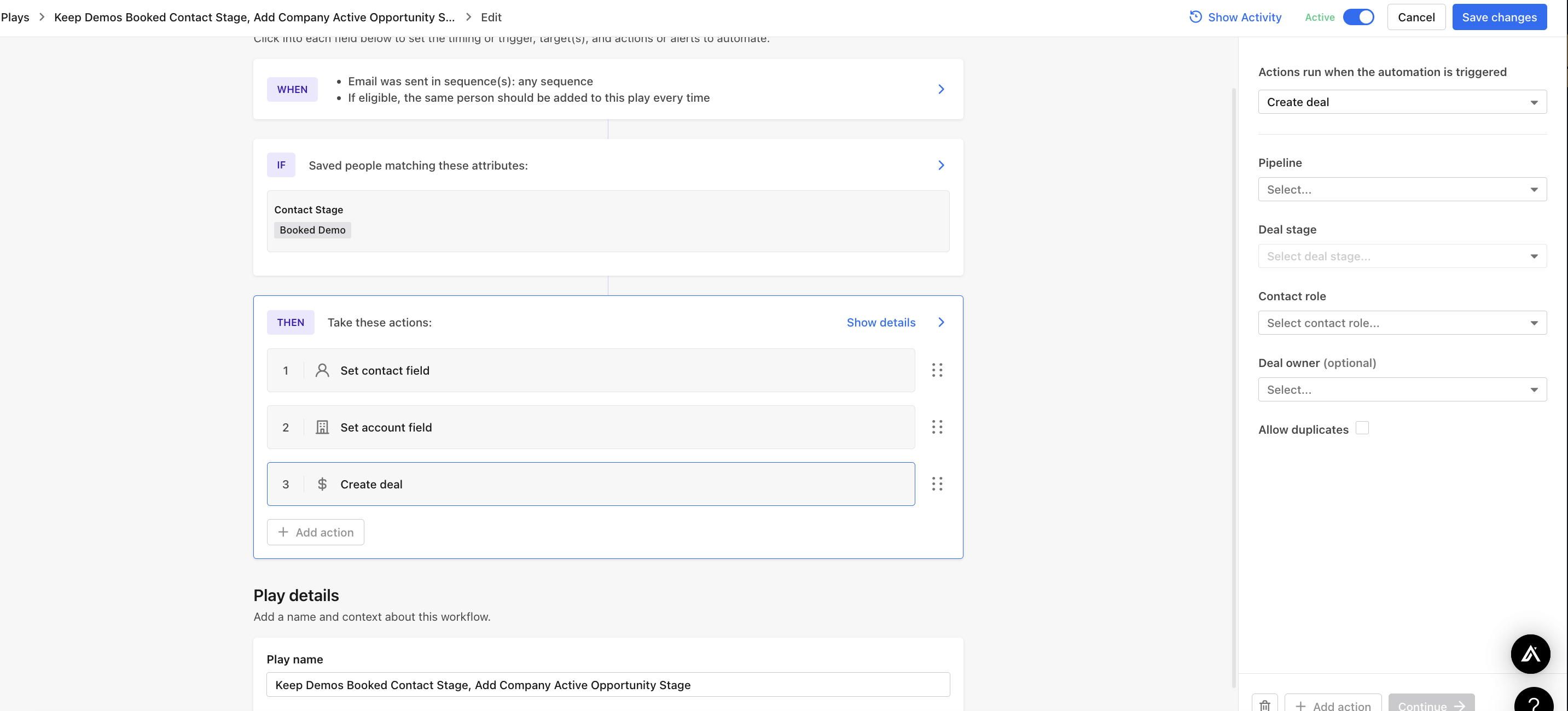
Finally, there is also the option to create a new “Deal” automatically if you are using the Deals feature in Apollo.io.
Turn Replies Into Apollo.io Tasks and Opportunities
The Workflows above hold a contact’s stage in place and move the company to Active Opportunity once that stage changes. Something still has to make the first change, and that starts with the reply.
“Circle back in January”: reply, then create an Apollo.io follow-up task for January. The contact stays warm and the rep gets the reminder on time.
“What would it cost for a team of 12?”: reply with the answer, then set the company to Active Opportunity with a deal attached. The deal is in your pipeline the moment you answer.
With Apollo.io Reply Triage, email and LinkedIn replies arrive in one queue you work right from your inbox. You answer the reply, and one click creates the task or the deal and updates the contact and account stages in Apollo.io. With Apollo.io synced to your CRM, the stage changes carry through to HubSpot, Salesforce or Pipedrive, and so do the deals if you sync Apollo.io deals. Reply Triage is in early access. LinkedIn replies come with our LinkedIn Outreach service and are rolling out to early access accounts first.
Summary
Stringing together Workflows like this can keep your data clean in Apollo.io for reporting and SDR workflows. You can start to see how using Apollo.io’s features like Deals could be very efficient and a “good enough” CRM if you are an earlier stage company and want to keep your SDRs and AEs in one tool and saving time. If your reps are entering Deal values and close dates (or you are pulling this data through an integration with a CRM like Hubspot or Salesforce) you can start to do closed loop reporting directly in Apollo.io to analyze what lists and sequences are driving pipeline and revenue from your outbound sales efforts.