How to Pause Apollo.io Sequences for Holiday Breaks
The best approach to pause Apollo.io Sequences during holiday breaks without losing your tasks or email queue - covering Thanksgiving, Christmas, New Year's, and other holiday windows.
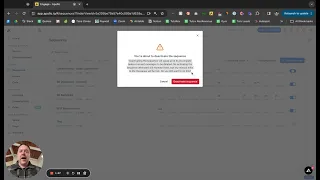
Apollo.io’s universal settings only restricts emails on a small list of national holidays. A better approach to avoid out-of-office replies and low response rates is to block off holiday weeks (Thu/Fri of Thanksgiving, the week between Christmas and New Year’s, etc.).
This video tutorial covers the best method to pause and restart sequences without losing your tasks or email queue.
Why the Default Holiday Settings Are Not Enough
Apollo.io’s built-in holiday restrictions cover a limited set of national holidays. This means your sequences will continue sending during common low-response windows like:
- The days surrounding Thanksgiving
- The week between Christmas and New Year’s
- Other regional or company-specific holiday periods
Sending emails during these windows leads to higher out-of-office bounce rates, lower reply rates, and potential deliverability issues from the spike in non-responses.
The Recommended Approach
Rather than relying solely on Apollo.io’s universal holiday settings, the best practice is to manually pause your active sequences before the holiday window begins and restart them after the break ends. The tutorial walks through how to do this in a way that preserves your task queue and email schedule so nothing is lost or skipped when you resume.