How to Handle Non Fit Accounts in Apollo.io?
Learn how to manage accounts and prospects that are unsuitable for outreach in Apollo.io, keeping your database clean and your team focused on qualified prospects.
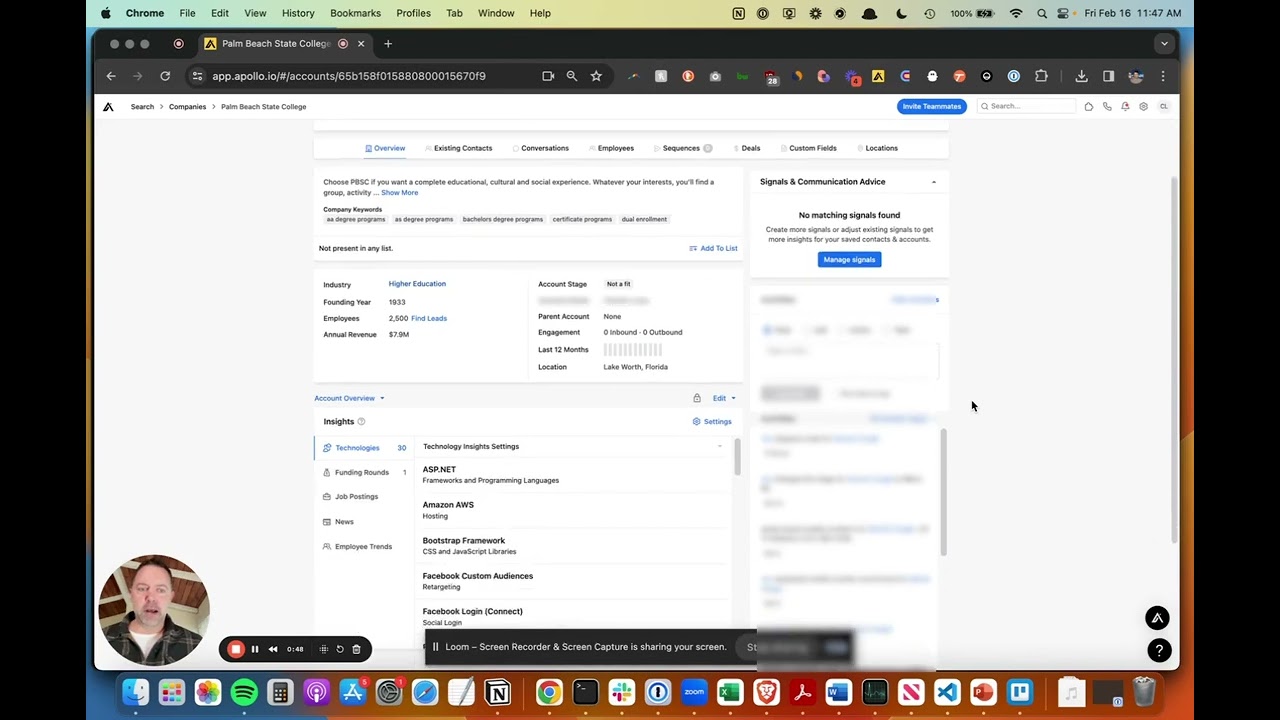
In this tutorial, guidance is provided for effectively managing accounts or prospects unsuitable for Apollo.io. The focus centers on streamlining workflows and maintaining data integrity.
Key Steps for Managing Non-Fit Accounts
The process involves several important actions:
Contact-Level Changes: When identifying an unsuitable prospect, adjust the contact stage to “not a fit.” This classification helps organize your database and prevents wasted outreach efforts.
Task Management: Review any upcoming tasks associated with the contact, such as call tasks or emails. These should be skipped to avoid unnecessary follow-ups with non-relevant contacts.
Account-Level Adjustments: Navigate to the account level and set the account stage to either “not a fit” or “do not prospect.” This step is critical for maintaining clean data across your organization.
Automation Benefits: Properly configured rules within Apollo.io will automatically block emails scheduled for these accounts, preventing irrelevant outreach from being sent.
Account Task Cleanup: Clear any upcoming tasks at the account level as well, ensuring no SDRs or representatives encounter non-relevant contacts during future reviews.
Outcome
This systematic approach ensures data remains clean and allows team members entering the system to work exclusively with qualified prospects, improving efficiency across your sales operation.