Best SaaS Onboarding Emails
A breakdown of effective SaaS onboarding email strategies - covering the four key pillars and real examples from companies that do it well.
The window between a user signing up and deciding whether your product is worth continuing is narrow. Onboarding emails are one of the few levers you have to influence that decision when users are not actively in the product.
Here is what the best SaaS onboarding email programs get right.
The Four Pillars of Effective SaaS Onboarding Emails
1. Behavior-Based Triggers
The most effective onboarding emails are sent in response to what a user has done (or not done) - not on a fixed schedule.
Triggered by action: “You connected your account - here is what to do next.” Triggered by inaction: “You signed up three days ago but haven’t completed setup - here is where to start.”
Fixed-schedule sequences treat all users the same regardless of where they are in activation. Behavioral triggers send the right message at the right moment.
2. A Clear Single Action
Each onboarding email should ask the user to do exactly one thing. The moment you include two or three CTAs, click-through rates drop and users disengage.
Define the single most important action you want the user to take next in their activation journey. That is the email.
3. Value-First Framing
Onboarding emails that lead with product features convert worse than emails that lead with user outcomes. Instead of “Try our new analytics dashboard,” write “Here is how to see which leads are most likely to convert.”
The user does not care about the feature - they care about the result the feature enables.
4. Short and Scannable
Most onboarding emails are read on mobile or skimmed between tasks. Long emails get archived. Effective onboarding emails are three to five sentences plus a single CTA, with a clear subject line that communicates what is in the email before it is opened.
Case Studies: SaaS Companies Doing Onboarding Emails Well
Xero
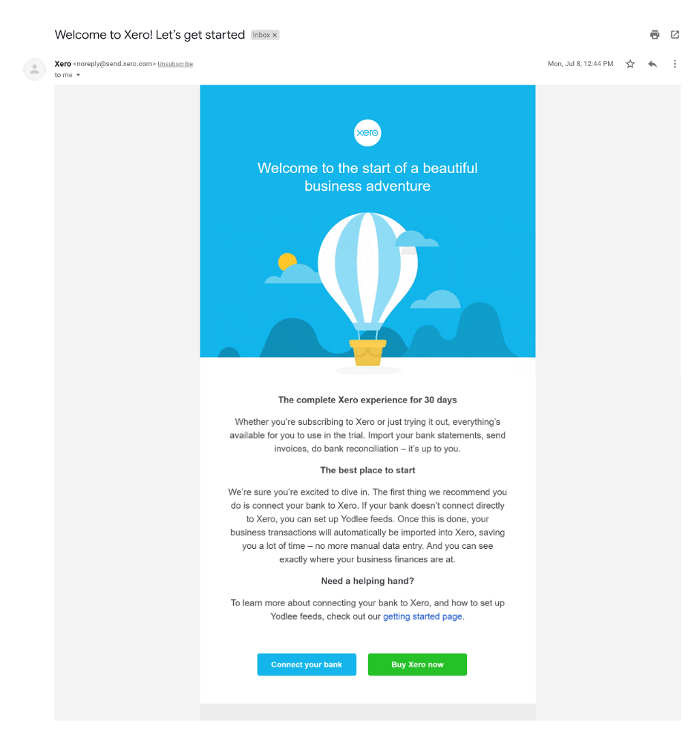
Xero’s onboarding sequence addresses common setup anxiety directly. The emails guide users through connecting their bank account and importing transactions - the steps that take most users the longest and where drop-off is highest. Clear progress framing (“Step 2 of 3”) reduces the sense of overwhelm.
Calendly
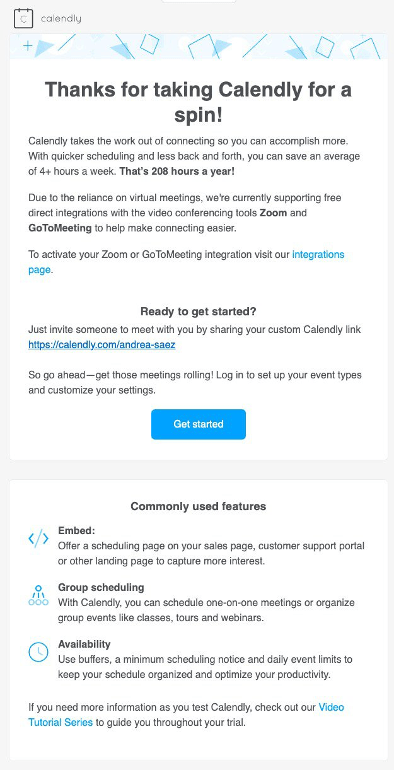
Calendly’s onboarding emails focus on the moment a user’s calendar link is shared for the first time. The copy celebrates the action (“Your first booking is set up - here is what happens when someone books a meeting”) rather than just confirming it. That shifts the tone from transactional to motivating.
Sleeknote
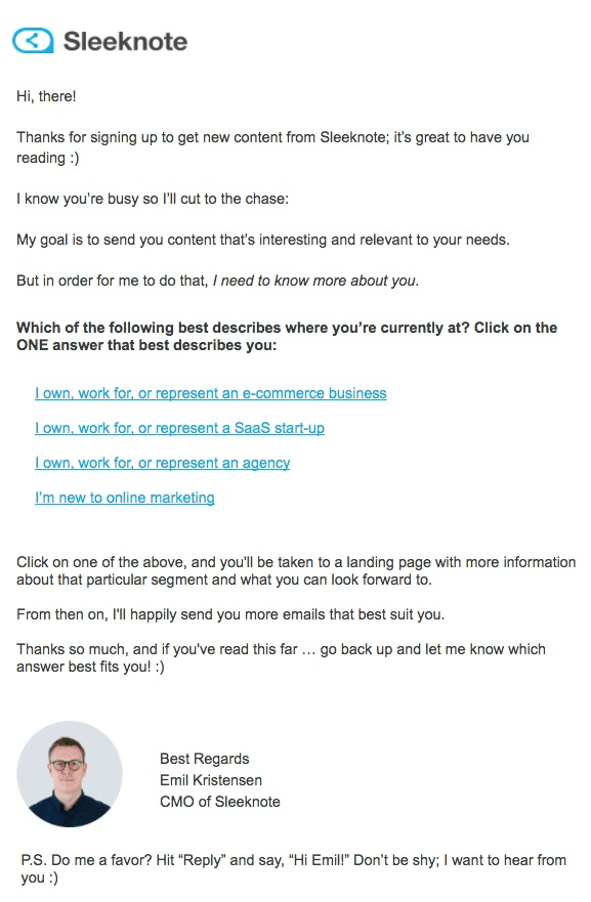
Sleeknote sends targeted re-engagement emails to users who have not yet published their first campaign. The emails are short, reference the specific step the user has not completed, and include a direct link back to that exact step. No searching required.
SurveyMonkey
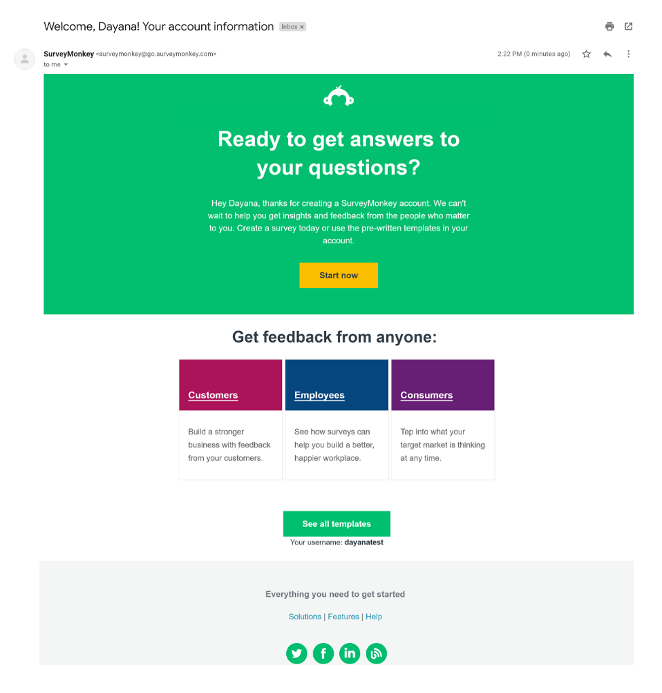
SurveyMonkey uses social proof in their onboarding sequence - sharing how other users in similar roles or industries use the product. For users who are not sure where to start, seeing a relevant example lowers the activation barrier.
BrowserStack
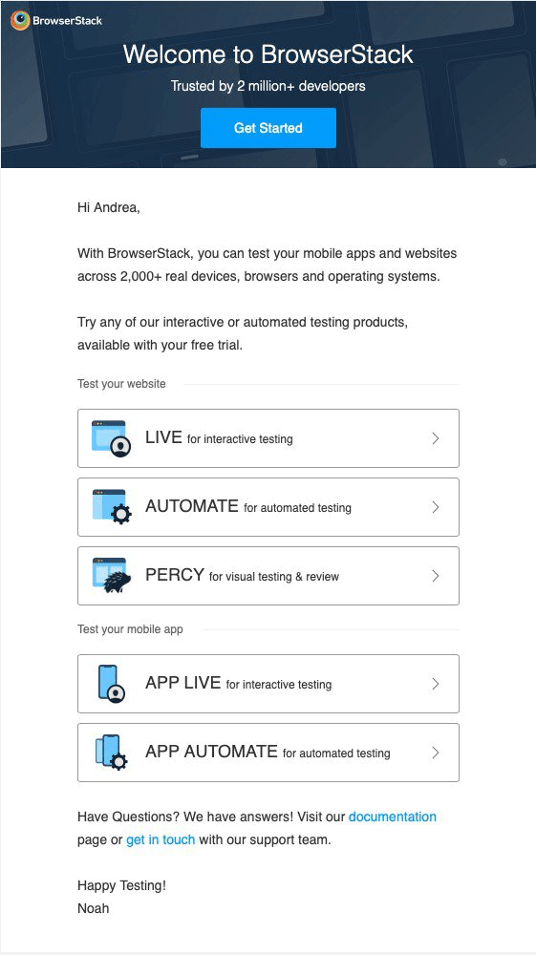
BrowserStack’s onboarding sequence varies by the user’s role and use case. Developers get different content than QA managers. The technical depth of each email matches what that persona actually needs to move forward.
What to Measure
Onboarding email success should be tracked against activation, not just open rates. The key metrics:
- Activation rate - percentage of new users who complete the key activation action (varies by product)
- Time to activation - how long it takes from signup to first value moment
- Sequence completion rate - percentage of users who receive all emails without unsubscribing
- Click-to-activation rate - of users who clicked the CTA, how many actually completed the action
Open rates and click rates tell you if the email is interesting. Activation rate tells you if it is working.
A Practical Starting Point
If you are building a first onboarding email sequence:
- Define the one action that correlates most strongly with long-term retention in your product
- Map the steps users need to take to get there
- Build one email per step, triggered by the completion of the previous step
- Add a re-engagement email at 48 hours for users who have not progressed
- Test subject lines before testing body copy - the email that does not get opened cannot activate anyone
Start simple. A three-email behavioral sequence outperforms a twelve-email fixed schedule every time.