Cold Email Infrastructure Setup for Outbound Sales
Cold email success depends more on infrastructure than most people realize. You can have the best copy in your category and still land in spam if your domains are not set up correctly. This guide covers the infrastructure side - what to set up, in what order, and what to watch.
Why Infrastructure Comes Before Copy
Most outbound programs underperform because of deliverability issues, not weak messaging. Email service providers (ESPs) evaluate sender reputation before the content of an email. A domain with poor authentication or a mailbox without warmup history will route to spam regardless of how personalized your subject line is.
Set up infrastructure first. Test deliverability. Then invest in copy optimization.
Sending Domain Setup
Never send cold outreach from your primary business domain. If that domain gets flagged or blacklisted, your transactional email (invoices, support, notifications) gets affected too.
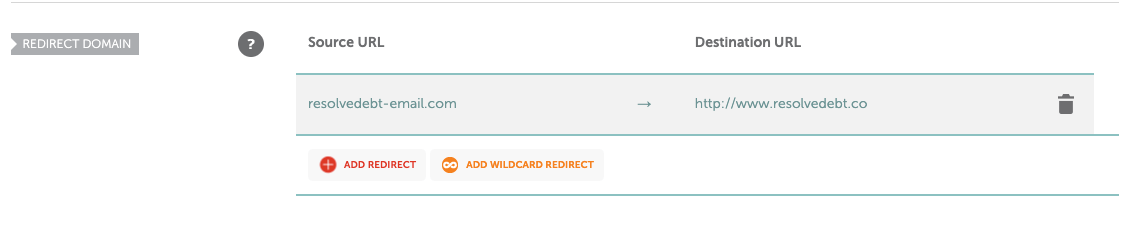
Instead, purchase separate sending domains. Common conventions:
getdomain.comtrycompany.iowithcompany.comcompanyhq.com
Purchase two to four sending domains per campaign to distribute volume across mailboxes.
DNS Authentication: SPF, DKIM, and DMARC
Every sending domain needs three DNS records configured:


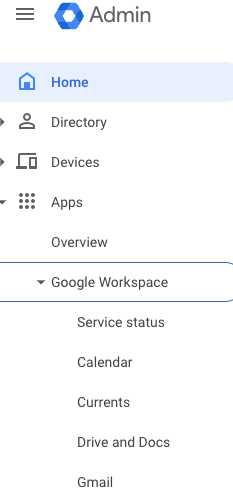



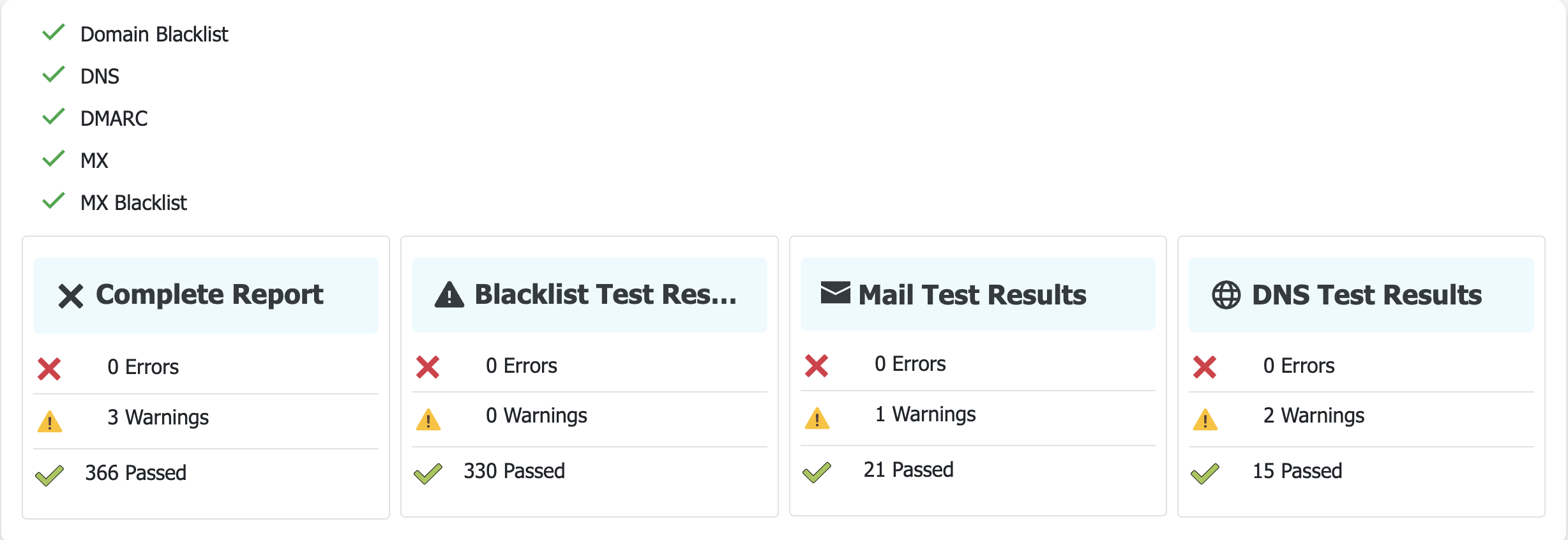
SPF (Sender Policy Framework): Specifies which mail servers are authorized to send email from your domain. Add an SPF TXT record to your DNS pointing to your email provider.
DKIM (DomainKeys Identified Mail): Adds a cryptographic signature to outgoing emails so receiving servers can verify the message was not altered in transit. Your email provider will give you a DKIM TXT record to add to DNS.
DMARC (Domain-based Message Authentication, Reporting, and Conformance): Tells receiving servers what to do when SPF or DKIM checks fail. Start with p=none to monitor before moving to p=quarantine or p=reject.
Use a tool like MXToolbox or Mail-Tester to verify all three are configured correctly before sending.
Recommended Tooling: Zapmail
For most outbound programs, Zapmail is the recommended starting point for sending infrastructure. It handles domain purchase, mailbox creation, DNS configuration, and warmup in a single platform - removing most of the manual setup work.
Zapmail is built specifically for cold outreach and integrates cleanly with Apollo.io for sequence sending.
What Zapmail handles:
- Domain registration
- Mailbox creation at scale
- Automated warmup sequences
- SPF/DKIM/DMARC configuration
- Deliverability monitoring
Alternatives to consider:
- Instantly.ai - email infrastructure with built-in warmup and sequencing
- Smartlead - similar feature set to Instantly, popular with agencies
- Manual setup via Google Workspace - works but requires more configuration time per mailbox
Mailbox Warmup
New mailboxes have no sending reputation. Sending cold outreach from a brand-new mailbox will trigger spam filters immediately.
Warmup is the process of gradually increasing send volume on a new mailbox to build reputation before sending real campaigns.
Warmup period: 4-6 weeks minimum before sending cold outreach.
During warmup, the warmup tool sends and receives emails between a network of real mailboxes, generating positive engagement signals (opens, replies, not-spam classifications).
In Apollo.io, you can monitor mailbox deliverability scores under Settings > Deliverability Suite. A score of 85% or above before beginning cold sends is the target threshold.
Sending Volume Limits
Start conservatively:
- New mailboxes: 10 emails per day
- After 2 weeks of warmup: 20 emails per day
- After 4 weeks: 30 emails per day
- Maximum: 35 emails per day per mailbox
In Apollo.io, set the daily limit under mailbox settings. Increase by 5 per day each week, not all at once.
Scaling Mailbox Count
To increase total monthly send volume, add more mailboxes across your sending domains - not by exceeding per-mailbox limits.
At 35 emails per day per mailbox over 21.7 working days per month, each mailbox handles roughly 760 emails per month. A team targeting 10,000 sends per month needs approximately 14 mailboxes.
Structure your mailboxes across multiple domains (2-4 mailboxes per domain) to avoid concentration risk.
Ongoing Monitoring
Deliverability is not a one-time setup. Monitor weekly:
- Deliverability scores per mailbox in Apollo.io
- Bounce rates (should stay below 3%)
- Spam complaint rates (should stay below 0.1%)
- Open and reply rates by sending domain (sudden drops often indicate deliverability issues)
If a mailbox’s deliverability score drops below 85%, pause it and investigate before sending more.
Want this done for you? We handle cold email end to end in our Done-for-You Outbound System and deliverability infrastructure specifically in our Email Deliverability service. Related reading: Top 12 cold email mistakes to avoid.